
GameSwitcher
A downloadable tool for Windows
Less switching. More playing.
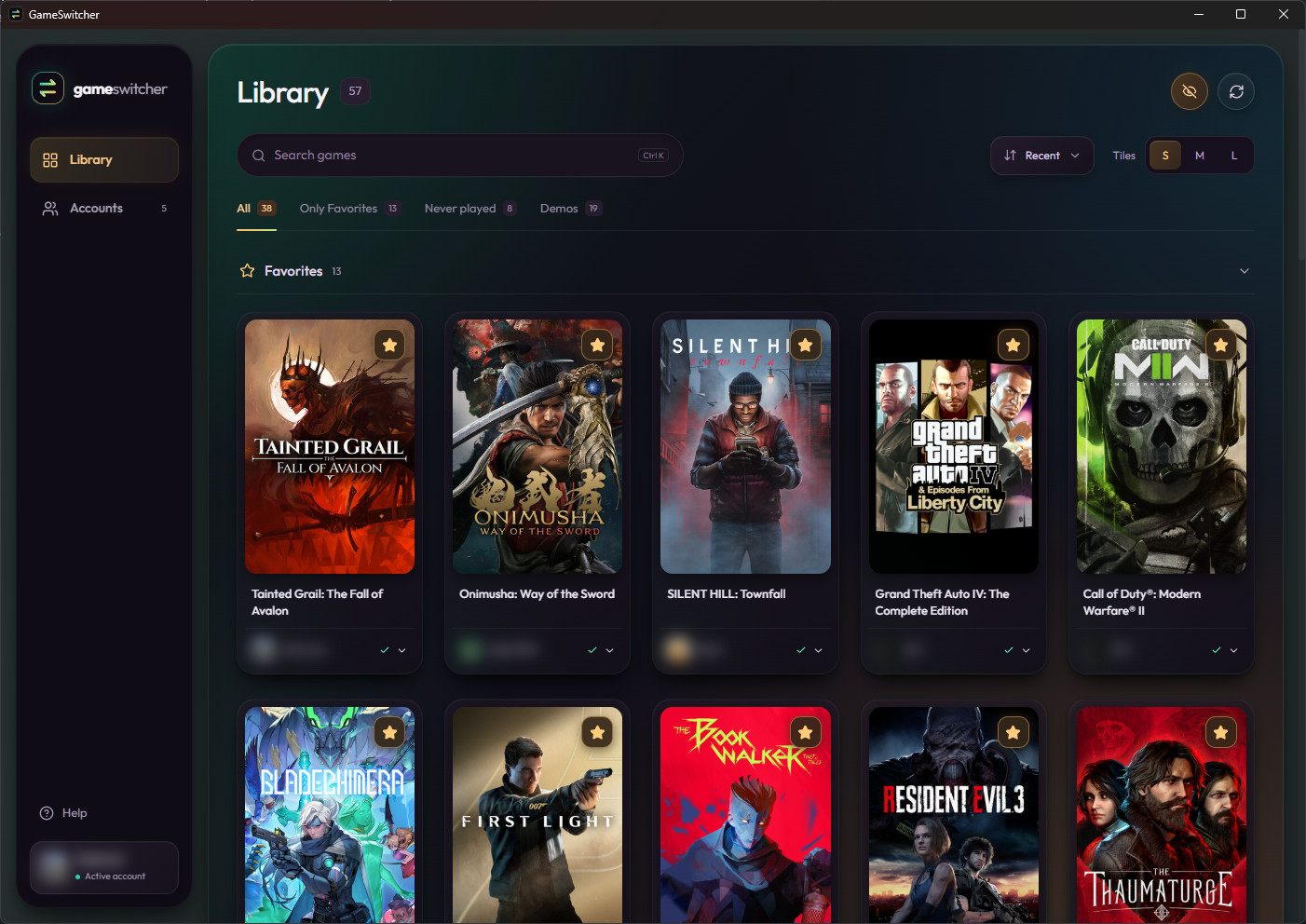
GameSwitcher brings your installed Steam games, saved accounts, and games from your own folders into one clean Windows library. Pick a game, choose an account when needed, and remember that choice for next time.
New in 1.4.1: Steam starts in the tray
A small update: Steam now starts minimized to its system tray during account sign-in and game launches. Required sign-in and Steam Guard prompts can still appear. Open Steam from its tray icon when needed; existing open windows are not forcibly minimized.
Login argument ordering and the secondary-account Offline Mode sequence are preserved. Update and uninstall actions still open Steam's native UI.
Storage and Deletion Queue (1.4.0)
- Storage: see your library in themed gradient pie charts, with individual drive tabs, free-space badges, artwork, and a compact game list. Each measured installation has its own slice; shared folders count once. Hidden games are excluded and demos still count.
- Deletion Queue: select games with checkboxes, review per-disk estimates and a warning panel, then uninstall one installation at a time. Steam uses its native uninstall flow; folder games use a discovered uninstaller or open Explorer for manual removal.
- Stay in control: external confirmations and UAC remain interactive. Uncertain results pause the queue; Check again, Retry, Skip, and Stop are available. Express mode asks for confirmation after each installation. Removal must be verified, and no queue resumes after restart.
- Account and folder fixes: Ghost no longer counts as a Steam account. At eight or more saved accounts, Accounts shows a persistent warning. Folder-game EXEs are checked at startup and Refresh without erasing saved registrations.
Sizes are cached estimates, not a promise of exact reclaimed space. Read DELETION_QUEUE.md in the ZIP before using the queue.
Game sizes and maintenance
- Sizes on cards: installed size sits beside the game title. Long names truncate with a tooltip; folder-game sizes scan in a background queue and are saved for reuse.
- By size: sort your library from largest to smallest.
- Uninstall: the three-dot menu offers a red action with confirmation. Steam games open Steam’s native uninstall flow. Folder games detect valid uninst*.exe or unins000.exe uninstallers in the game root, with a choice when several exist. If no uninstaller is found, Explorer opens the game folder for manual removal.
- Update in Steam: games marked Update offer a shortcut to their Steam page. Select Update there with Steam online; the shortcut does not automatically queue a download.
- Cleaner cards: removed the redundant saved-account checkmark.
Finish external uninstall prompts, then refresh the library. Folder sizes are saved snapshots and do not continuously track changes.
Account controls
- Log in from account cards: open a saved Steam account without launching a game.
- Add New Account: paste two labeled lines, such as
Login: example_userandPassword: example_password, then open Steam immediately. The password is passed once and never saved by GameSwitcher; local processes may be able to inspect launch arguments. Complete Steam Guard and enable Remember me in Steam. - Attached game covers: see games assigned to each account, with a +count tile for more.
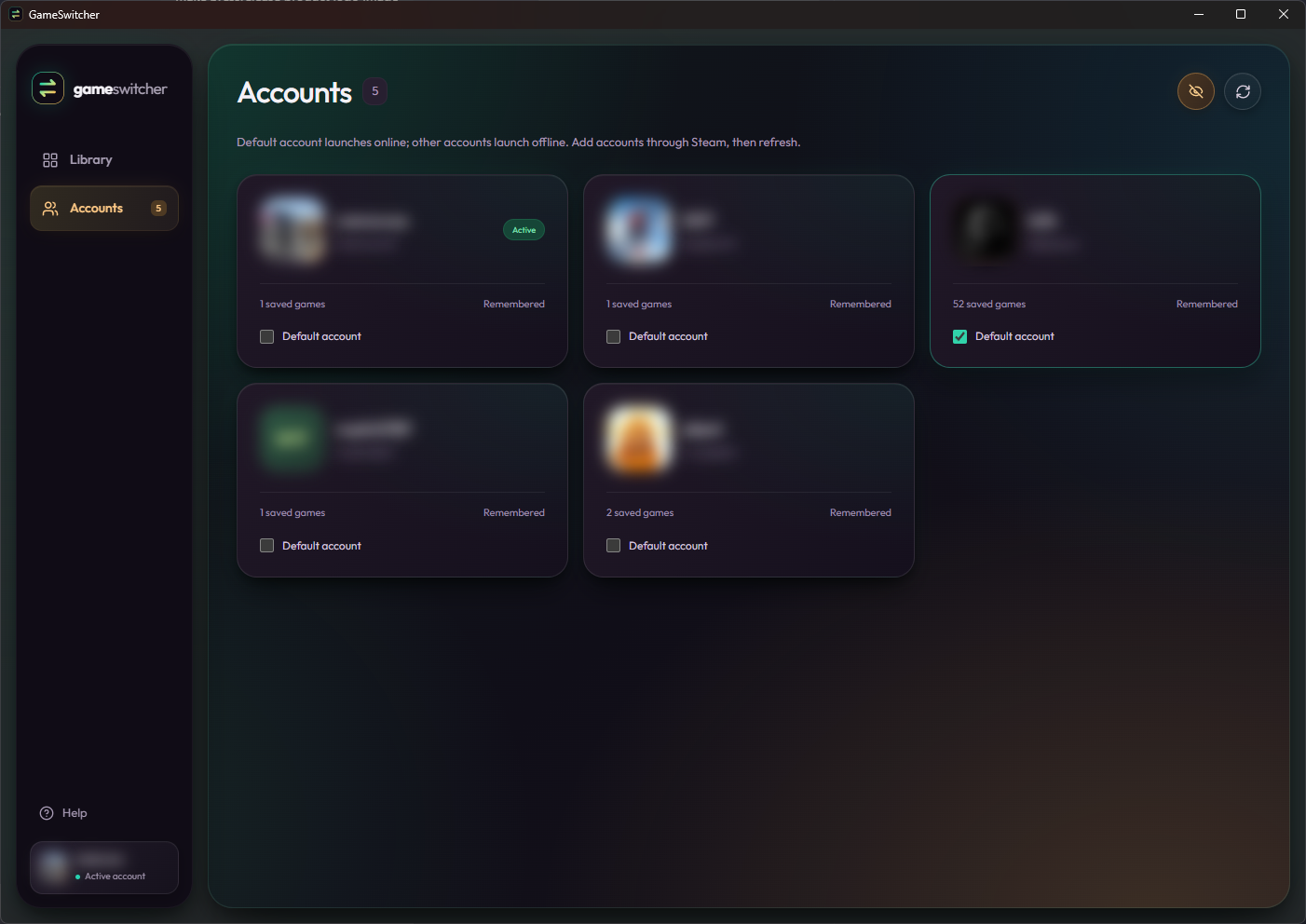
- Default account group: your default account gets its own full-width card above the others.
- Hidden games: hover or focus a cover to reveal Hide below Favorite, confirm, and restore it later from the Hidden tab. Files, favorites, and account choices are preserved.
Your own games, with artwork
- Game folders: use the Windows folder browser, scan EXEs, and mark suggestions as Game or Irrelevant. Saved ignore rules keep helper programs out of future scans.
- Real EXE icons: folder games have their embedded icons even without online metadata.
- Optional IGDB: find covers, backgrounds, descriptions, release dates, genres, studios, and ratings. Choose the correct title and year yourself; DLC/add-on matches are filtered out.
- Cached metadata: downloaded artwork and details remain available offline. Refresh a game or the whole library, or clear downloads while keeping your saved matches.
- Ghost: folder games launch directly without choosing a Steam account.
Connect IGDB in Settings with a Public Twitch Client ID and Twitch sign-in, or the optional Client ID/secret flow. Credentials stay in Windows Credential Manager. IGDB is used for folder games only; Steam games keep their existing artwork and account flow.
Your library, organized
- Browse installed games across Steam libraries and your added folders.
- Save a Steam account per game, or apply a default account to unassigned games.
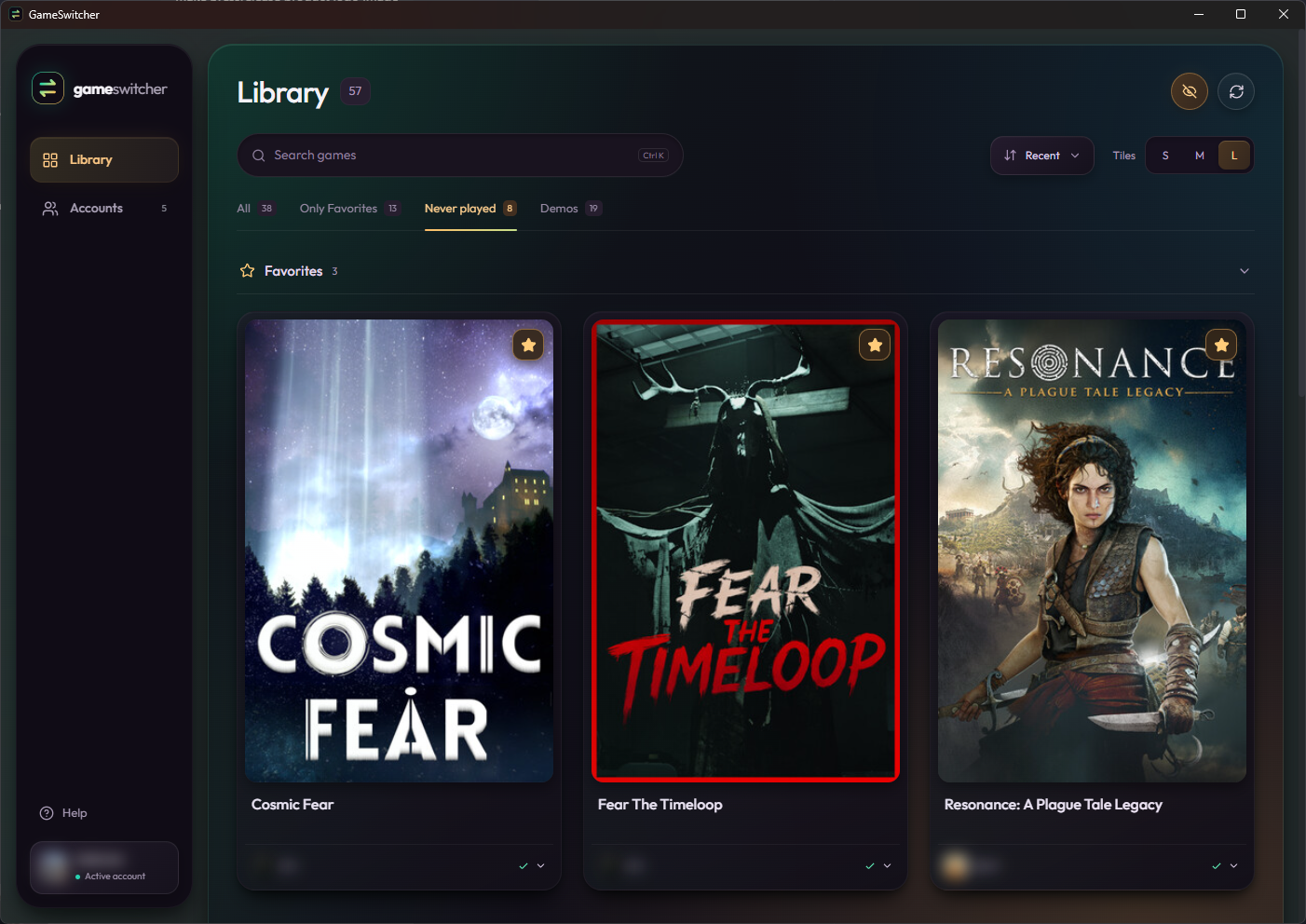
- Favorites first, collapsible sections, and three cover sizes.
- Never-played games and a dedicated tab for demos, playtests, and prologues.
- Privacy Mode blurs account names and avatars.
Download & run
Extract the GameSwitcher 1.4.1 Windows x64 ZIP, close any older copy, and run GameSwitcher.exe. Requires Windows 10/11 x64 and Microsoft Edge WebView2 Runtime. Steam is required for Steam games. No installer or development tools are needed.
Settings, folder games, and metadata are stored under %LOCALAPPDATA%\GameSwitcher, separately from the EXE. Back up this folder before upgrading. Read INSTALL.md, IGDB.md, and DELETION_QUEUE.md in the ZIP for setup and recovery details.
Steam account switching
The default account launches online. Other accounts sign in, wait for Steam to become ready, switch to Offline Mode, then request the game launch after a two-second pause. Complete sign-in or Steam Guard prompts in Steam.
Secondary-account launches disable Steam Cloud for that account and game until you re-enable it in Steam. Offline play depends on the game. Steam handles authentication, ownership, updates, and actual startup.
The executable is unsigned. Offline switching uses an internal Steam interface that may change. Secondary-account startup opens a debugging interface on 127.0.0.1:8080 for that Steam session, accessible to local processes; close Steam to end the session. Automated checks pass, but complete game launches, actual uninstall/update execution, and clean-machine compatibility are not certified for this build.
Credits
Created by b2kdaman with Tauri, React, and Tailwind CSS. GPL-3.0-only. Steam-switching research references TcNo Account Switcher. Licenses and dependency notices are included.
Independent software, not affiliated with Valve or IGDB. Steam and game names and artwork belong to their respective owners. No accounts, credentials, user libraries, or game files are included. Screenshots show Privacy Mode enabled.
Download
Install instructions
Download the Windows x64 ZIP. Close GameSwitcher, extract the entire ZIP into a new folder, then run GameSwitcher.exe.
Requires Windows 10/11 x64 and Microsoft Edge WebView2 Runtime. Steam is needed only for Steam games. No installer or administrator rights are required; the executable is unsigned.
Back up %LOCALAPPDATA%\GameSwitcher before upgrading. Settings and downloaded metadata live there, separately from the EXE. Read INSTALL.md IGDB.md, and DELETION_QUEUE.md for folder scanning, Twitch sign-in, data-location details, and reviewed uninstall queues.
Development log
- GameSwitcher 1.4.1: Steam starts minimized to the tray4 days ago
- GameSwitcher 1.4.0: Storage dashboard and Deletion Queue7 days ago
- GameSwitcher 1.3.0: game sizes and maintenance controls9 days ago
- GameSwitcher 1.2.0: account controls and hidden games11 days ago
- GameSwitcher 1.1.0: your own games, with IGDB artwork15 days ago
Leave a comment
Log in with itch.io to leave a comment.