gtaIVpd — GTA IV Police Mod
A downloadable mod
Go on duty in Liberty City
gtaIVpd is an experimental police gameplay mod for Grand Theft Auto IV: Complete Edition 1.2.0.59 on Windows. Build a patrol shift around traffic stops, pedestrian interactions, pursuits, arrests and calls for service.
An XInput-compatible gamepad is required. This is a gamepad-only release; a complete keyboard-and-mouse control scheme is not supported.
Watch the gameplay video on YouTube.
What is included
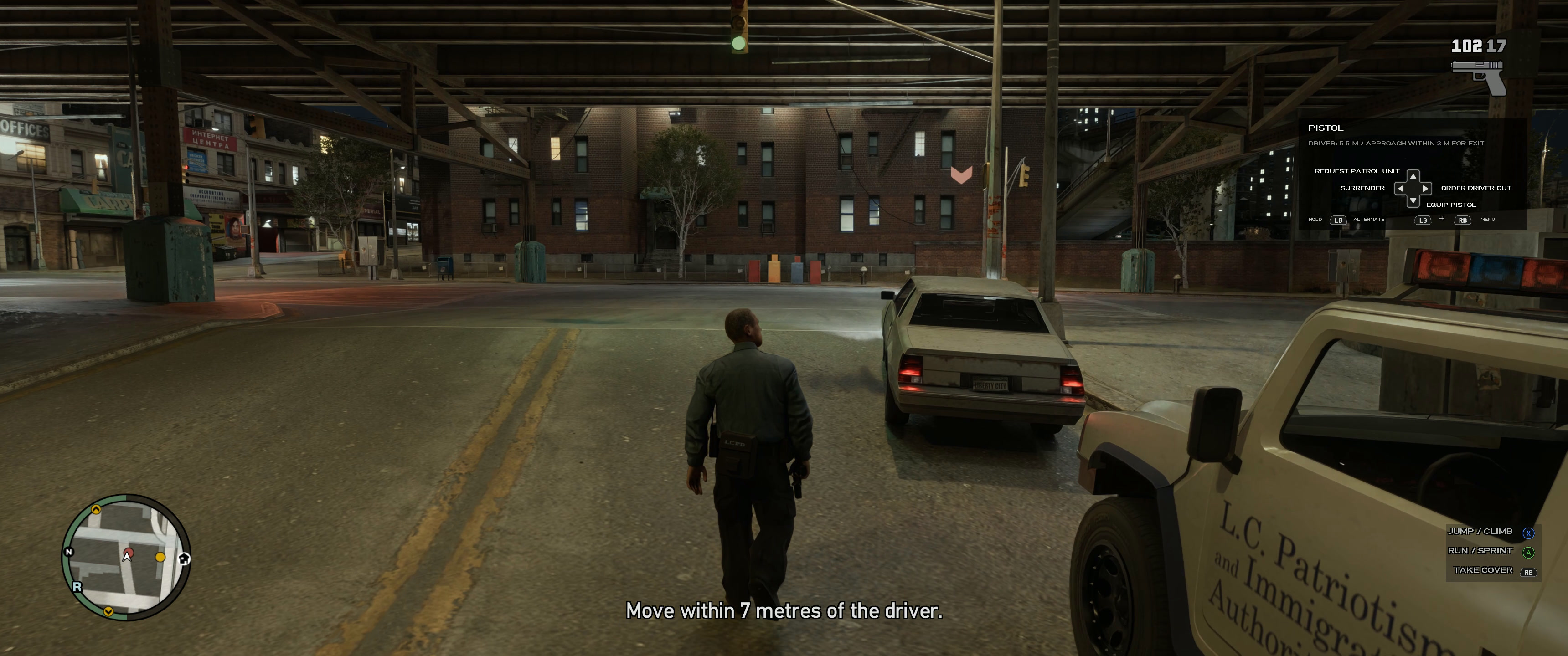
- On-duty patrol, traffic stops, pedestrian ID checks and questioning.
- Surrender, arrest, search, custody, escort and prisoner transport.
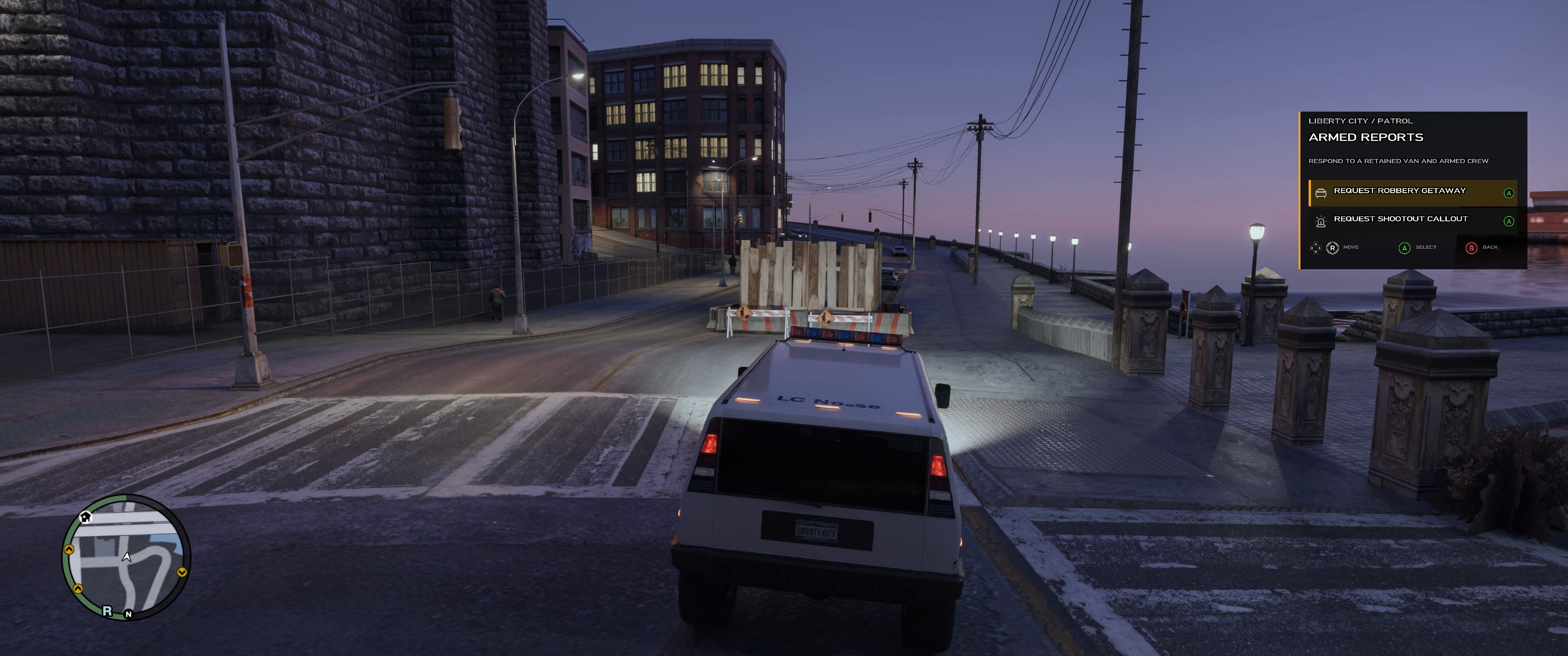
- Pursuits and a varied dispatch callout catalog.
- Partner and backup requests, helicopter support, tow and examiner services.
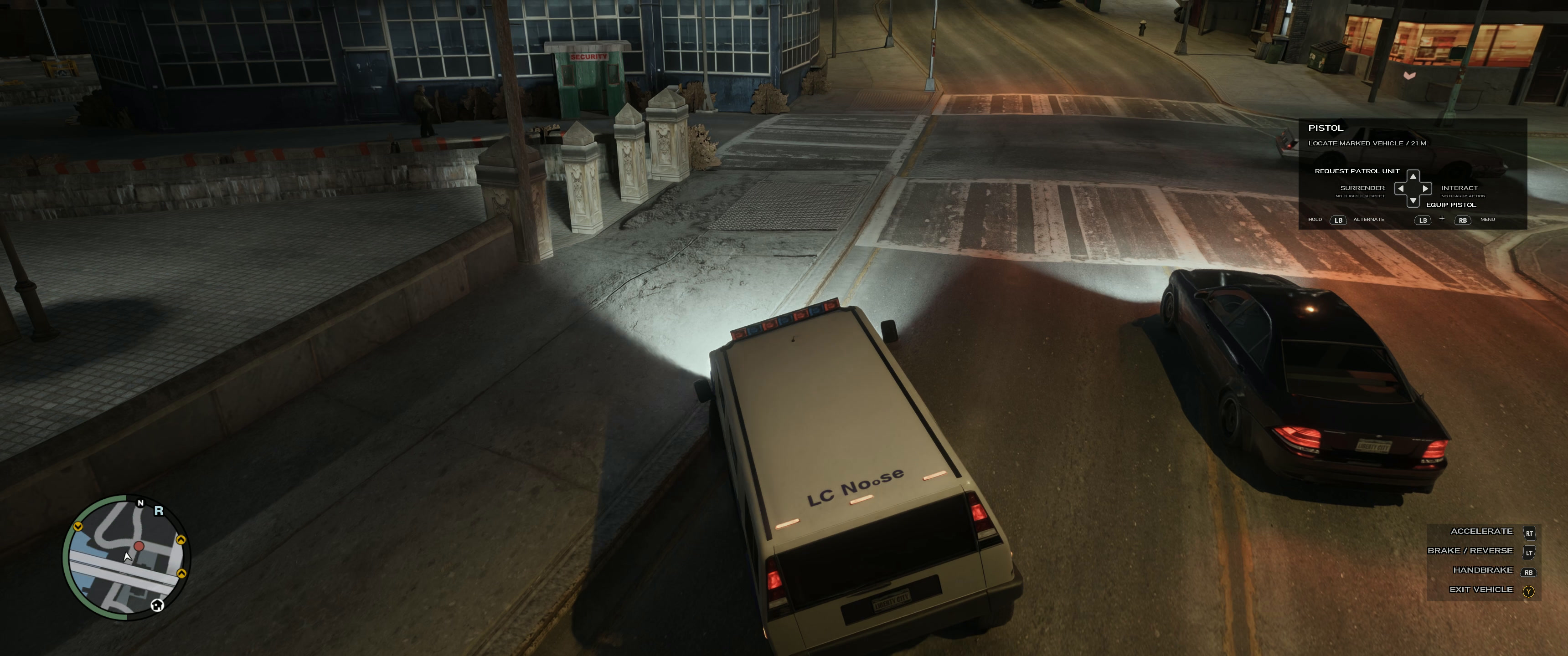
- A contextual gamepad menu, D-pad quick actions, police equipment and evidence handling.
- An animated startup shield, menu sound effects and original dispatcher radio speech.
v327 experimental update
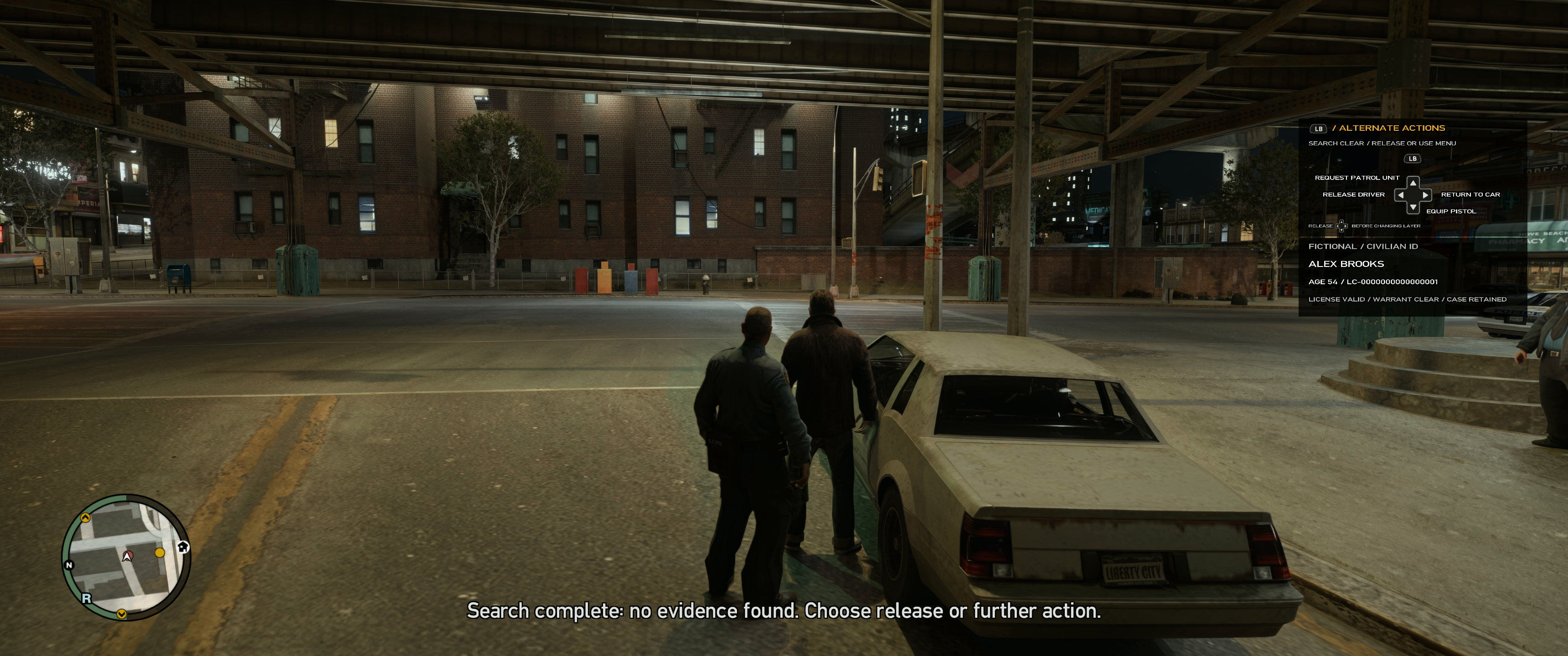
The alternate quick-action HUD has a larger LB icon above the D-pad. The player-officer voice is disabled; its recordings are not included in this download. The 167 original dispatcher recordings remain active and play locally, with no TTS model or network service required.
RTX Remix + DLSS compatibility
gtaIVpd is developed alongside an existing RTX Remix + DLSS setup. It uses GTA IV's native HUD path and preserves the installed renderer, loader and graphics configuration. Install and configure RTX Remix/DLSS separately. This download adds police gameplay; it does not include ray tracing, Remix or DLSS binaries. Other configurations remain unverified.
Gamepad required
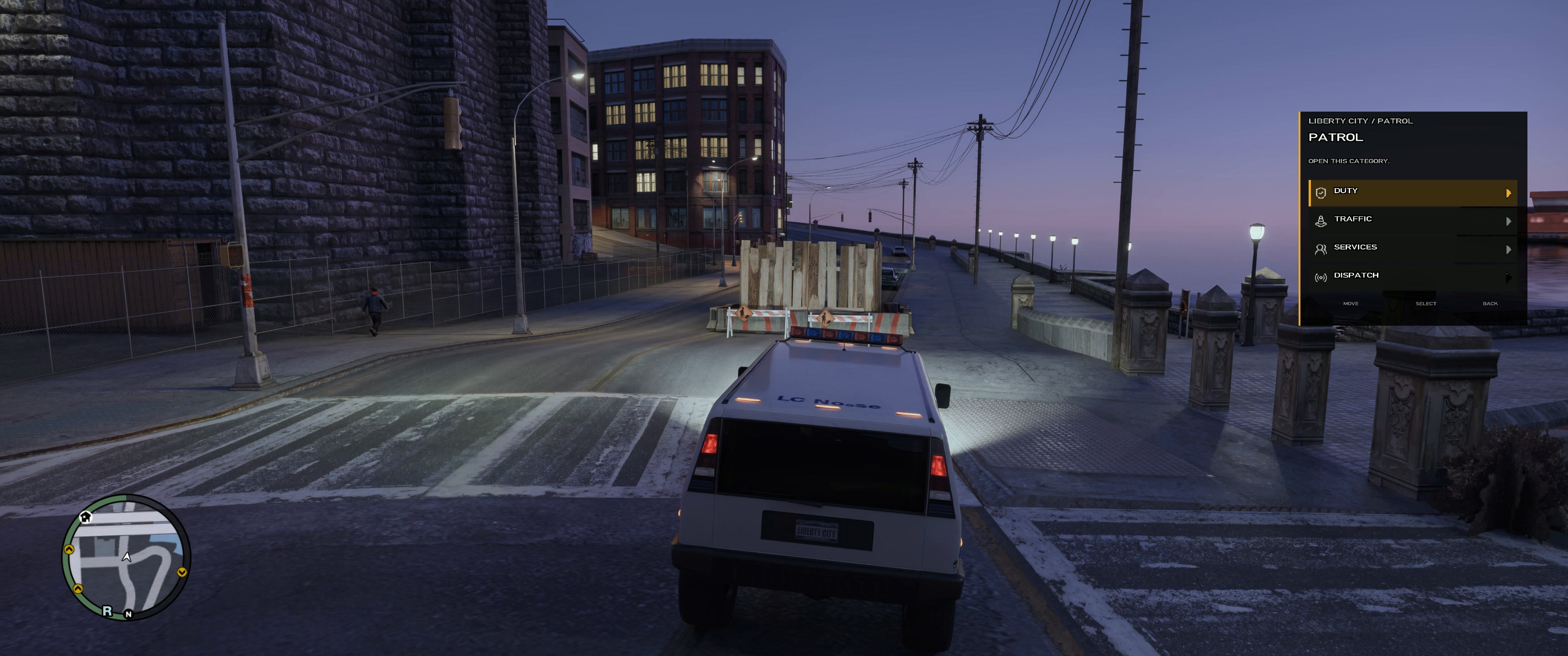
- LB + RB: open or close the patrol menu.
- D-pad or right stick Up/Down: navigate menu rows.
- A: enter a category or confirm. B: go back.
- D-pad with the menu closed: use the contextual actions shown on the HUD.
- LB + D-pad: access the alternate contextual actions shown on the HUD.
Installation
- Use your own GTA IV Complete Edition 1.2.0.59 on Windows and an XInput-compatible gamepad.
- Install Ultimate ASI Loader separately if you do not already have a working ASI loader.
- Close GTA IV and NvRemixBridge completely. Back up your existing
plugins/GTAIVPolice.asi,plugins/GTAIVPolicefolder and the mod's HUD, splash and button WTD files before upgrading. - Extract the ZIP, open its package folder and merge the included
pluginsandupdatefolders into the GTA IV folder containingGTAIV.exe. Copy the complete folders, including dispatcher audio, scripts and textures. - Launch GTA IV through Steam. Once the world loads, press LB + RB to open the patrol menu. Replacing the ASI requires a full game restart.
Keep your working loader, FusionFix, RTX Remix and DLSS setup. These dependencies are not bundled or replaced. The included INSTALL.md explains rollback.
Experimental release
This is an actively developed prototype. Some response vehicles can remain stationary; backup and partner driving still need work. Physical in-game acceptance of v327, dispatcher volume/timing and HUD appearance are not yet complete. Full LCPDFR feature parity and LCPDFR plugin compatibility are not provided.
The v327 checkpoint passed 133 automated test groups. The archive includes a release manifest, SHA-256 checksums, release notes and third-party notices. Automated validation does not replace in-game testing.
This project uses AI-assisted code and dialogue, a generated shield logo and synthetic dispatcher speech. It is an independent, unofficial mod and is not affiliated with Rockstar Games or LCPDFR.
Download
Install instructions
Requires GTA IV Complete Edition 1.2.0.59 on Windows and an XInput-compatible gamepad. This is a gamepad-only mod.
- Install Ultimate ASI Loader separately if your game does not already have a working ASI loader.
- Close GTA IV and NvRemixBridge. Back up your existing
plugins/GTAIVPolice.asi,plugins/GTAIVPolicefolder and the mod's HUD, splash and button WTD files. - Extract
GTAIVPolice-v327-prerelease-win32.zipand open its package folder. Merge the completepluginsandupdatefolders into the GTA IV folder containingGTAIV.exe. Include the dispatcher audio, scripts and textures. - Launch through Steam. Once the world loads, press LB + RB to open the patrol menu. Use D-pad/right stick Up/Down to navigate, A to confirm and B to go back. Replacing the ASI requires a full game restart.
RTX Remix, DLSS, FusionFix and the ASI loader are not bundled. Keep your working graphics setup; configure Remix/DLSS separately. Read the included INSTALL.md for rollback and compatibility limits. The player-officer voice is disabled; physical in-game acceptance of v327 is still pending.
Development log
Leave a comment
Log in with itch.io to leave a comment.