UCmod — Umbrella Corps Ultrawide & Toggle ADS
A downloadable mod
A wider view of Umbrella Corps
UCmod is a free, unofficial Windows mod adding ultrawide rendering, adjustable field of view, corrected UI layout and toggle aiming.
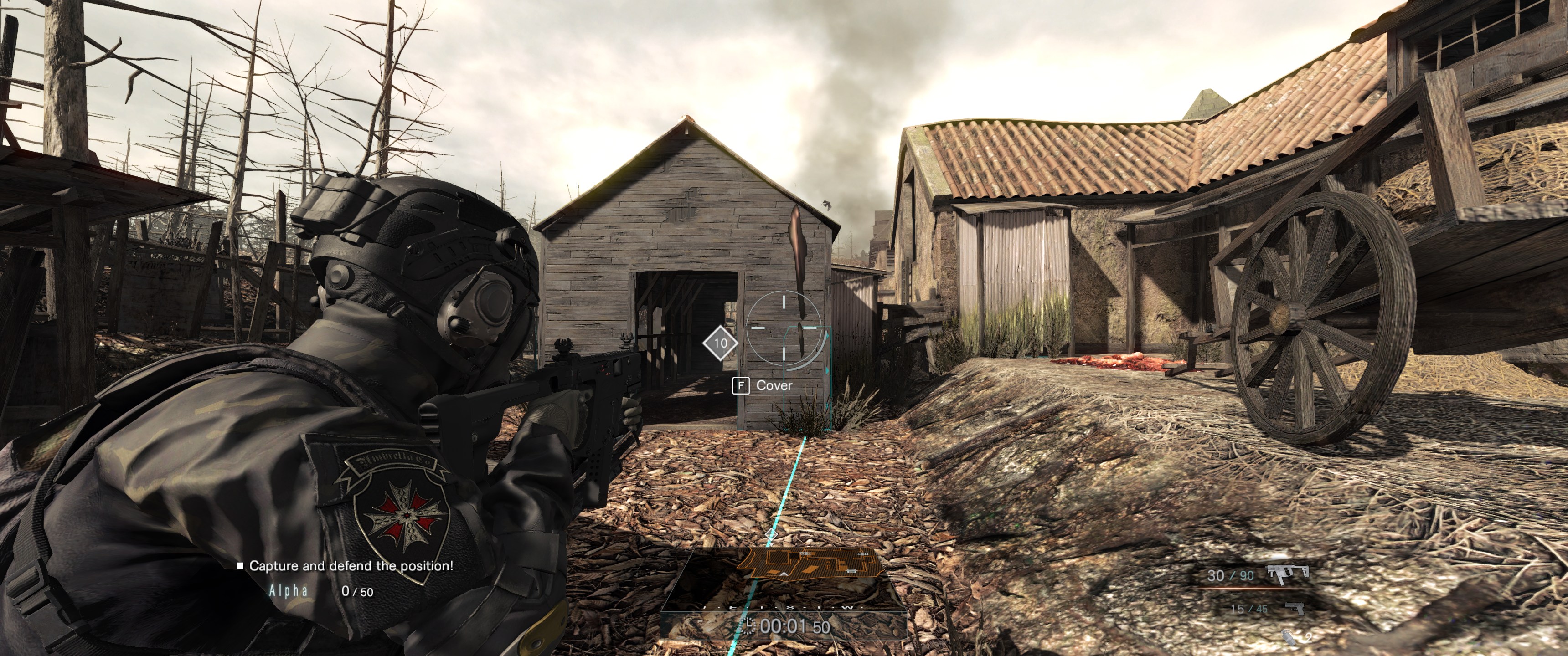
- Ultrawide: full-width world rendering, tested at 3440 × 1440.
- FOV: 120° horizontal by default, configurable, with weapon zoom preserved.
- UI: height-fitted menus and HUD, with aligned mouse input.
- Toggle ADS: tap your aim button to aim; tap again to stop. Set ToggleADS=false to return to hold.
Install
Download and extract the ZIP, close the game, then follow README.txt and run the included Install.ps1 against your game folder. The installer checks compatibility and backs up the original runtime. Launch normally and allow about 25 seconds for activation.
Requires your own installed copy of Umbrella Corps, using the tested Unity 5.2.3p1 32-bit Mono build. The game itself is not included.
Settings and restoration
Edit UltrawideFix/settings.ini in the game folder. Resolution, horizontal FOV, UI scale and toggle ADS settings reload automatically. To restore stock behavior, close the game and run UltrawideFix/Restore-Original.ps1.
Public beta · 0.1.0-beta.1
Menu clicks, equipment panel, gameplay HUD, full-width rendering and toggle ADS after a mission retry were tested locally. Some loading/death dimming overlays remain centered at 16:9. Not all ADS reset paths, weapons, missions, resolutions or multiplayer scenarios have been tested.
Source code, documentation and issue reports on GitHub
Unofficial fan-made mod, not affiliated with or endorsed by Capcom. The screenshot shows actual gameplay. The promotional cover is AI-generated; code and documentation were developed with AI assistance. Harmony is included under its MIT license.
Download
Install instructions
Close Umbrella Corps. Extract the ZIP, read README.txt, and run Install.ps1 against the folder containing uc.exe. Your original Mono runtime is backed up automatically. Launch the game normally and wait about 25 seconds for activation. Requires your own installed copy of the tested Unity 5.2.3p1 32-bit Mono game build. Settings: UltrawideFix/settings.ini. Restore: close the game and run UltrawideFix/Restore-Original.ps1.
Leave a comment
Log in with itch.io to leave a comment.